The email step your payroll
software forgot.
BrightPay, Sage and Xero calculate the pay, or your accountant does. Ghugi sends the payslips, P60s and P45s: bulk, encrypted, audit-logged. Drag in the PDFs, hit send.
30-day free trial · No card · Send your first payslip in 10 minutes
- Built in the UK for UK payroll
- GDPR compliant
- HMRC-aware payslip delivery
- No credit card to trial
What is Ghugi?
Ghugi is a UK tool that emails PDF payslips to your employees in bulk. It works with payslips from BrightPay, Sage, Xero, QuickBooks, IRIS, or any UK payroll software, or the PDFs your accountant sends you. You drag in the PDFs, Ghugi matches each one to the right employee and sends them encrypted from your own email address, with an audit log. P60s and P45s send the same way. From £15/month. 30-day free trial, no card required.
Three steps from folder to sent.
No setup calls. No CSV wizardry. Just upload, review, and send.
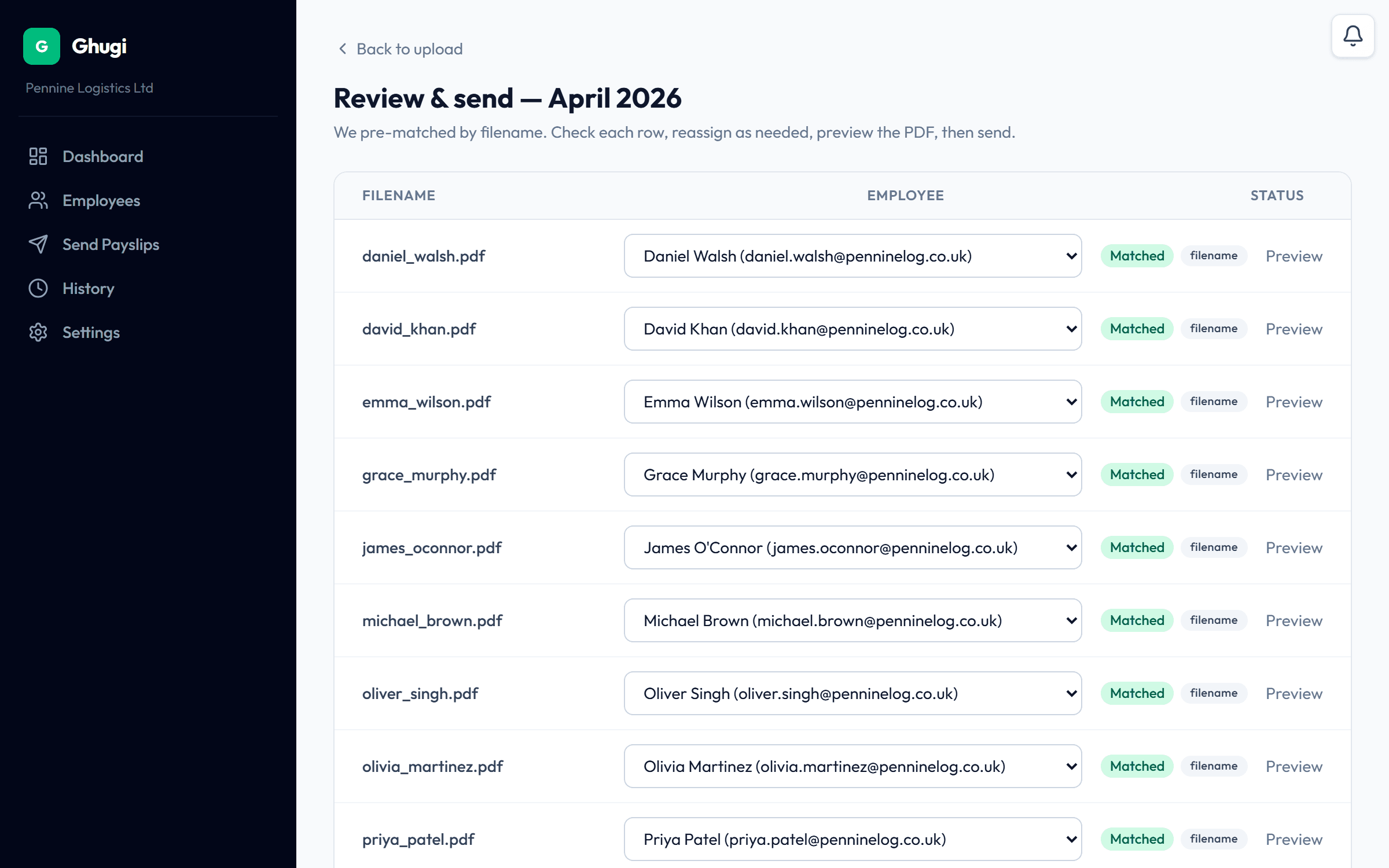
Drop your payslip PDFs
Drag a whole folder in, straight from your payroll software or your accountant. Payslips, P60s or P45s, up to 200 PDFs in a single upload. We pre-fill the pay period for you. Adjust it before sending if you need to.
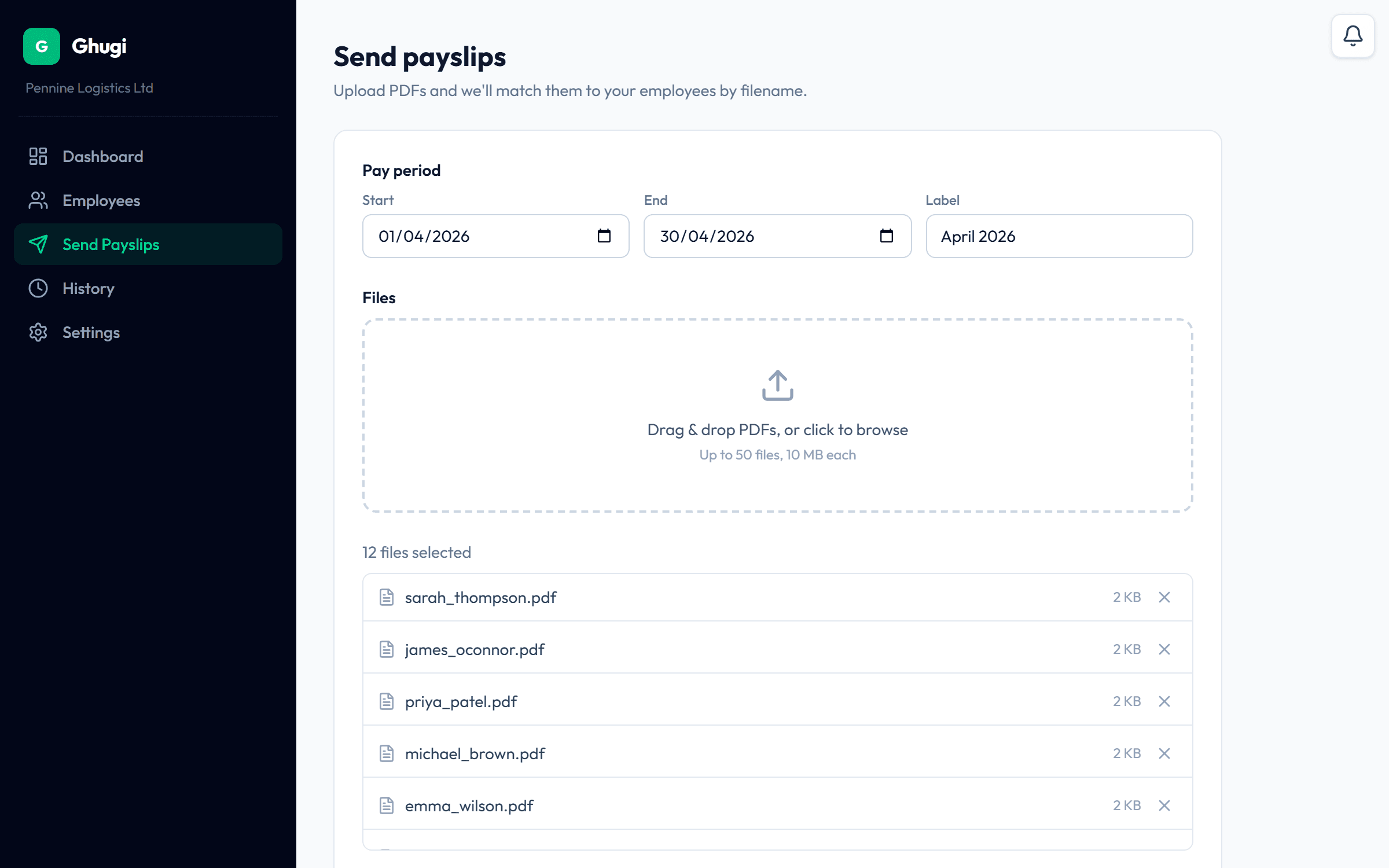
We match each payslip to the right person
Ghugi auto-sends a payslip only when it can confirm the employee two ways, for example their National Insurance number and their name, on both the PDF and their record in Ghugi (a payroll code can stand in for one of them). The NI is checked as a private fingerprint, so the real number never leaves your account. When only one detail matches, the payslip waits on a one-click review screen instead, so it never reaches the wrong person.
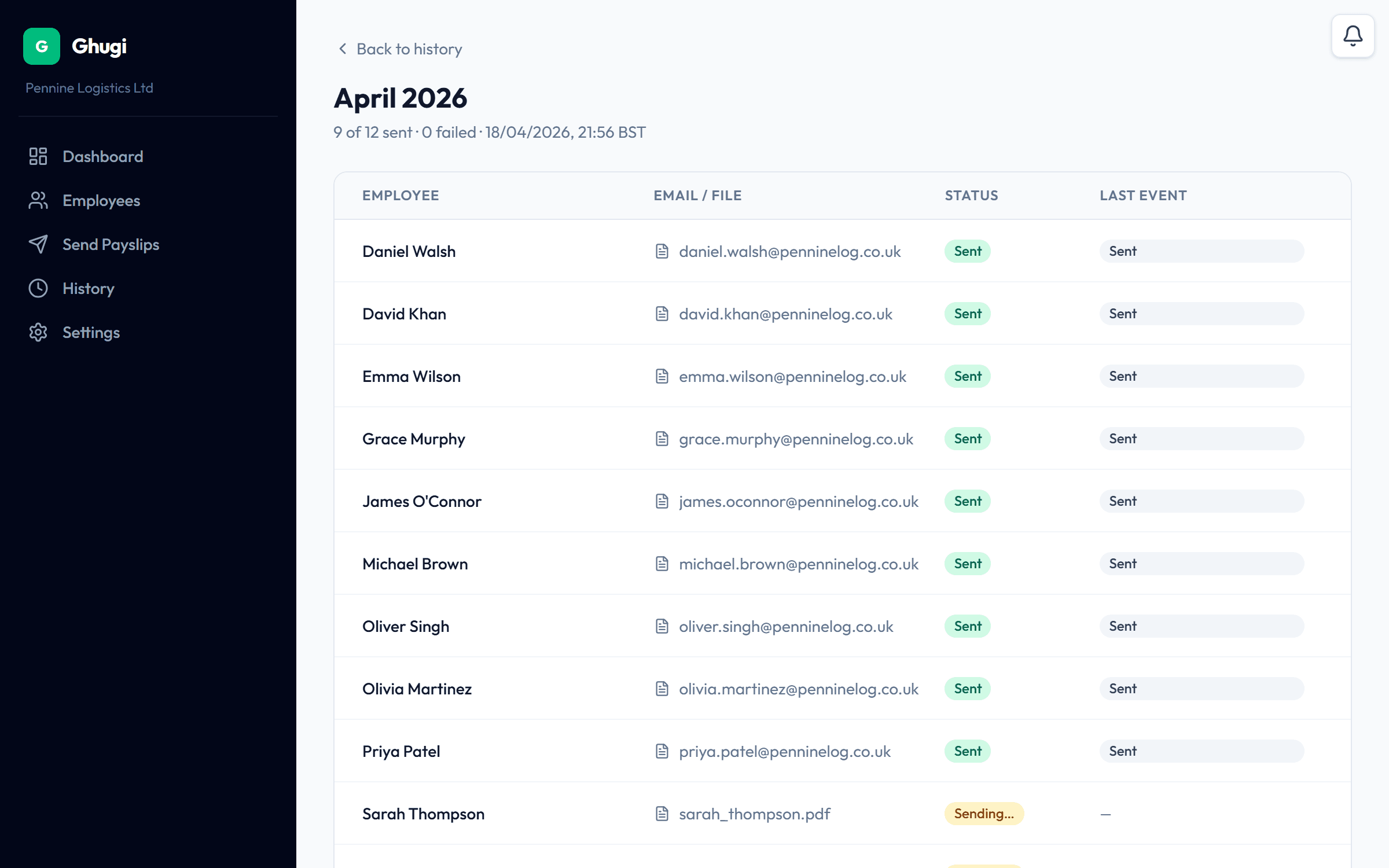
Click send
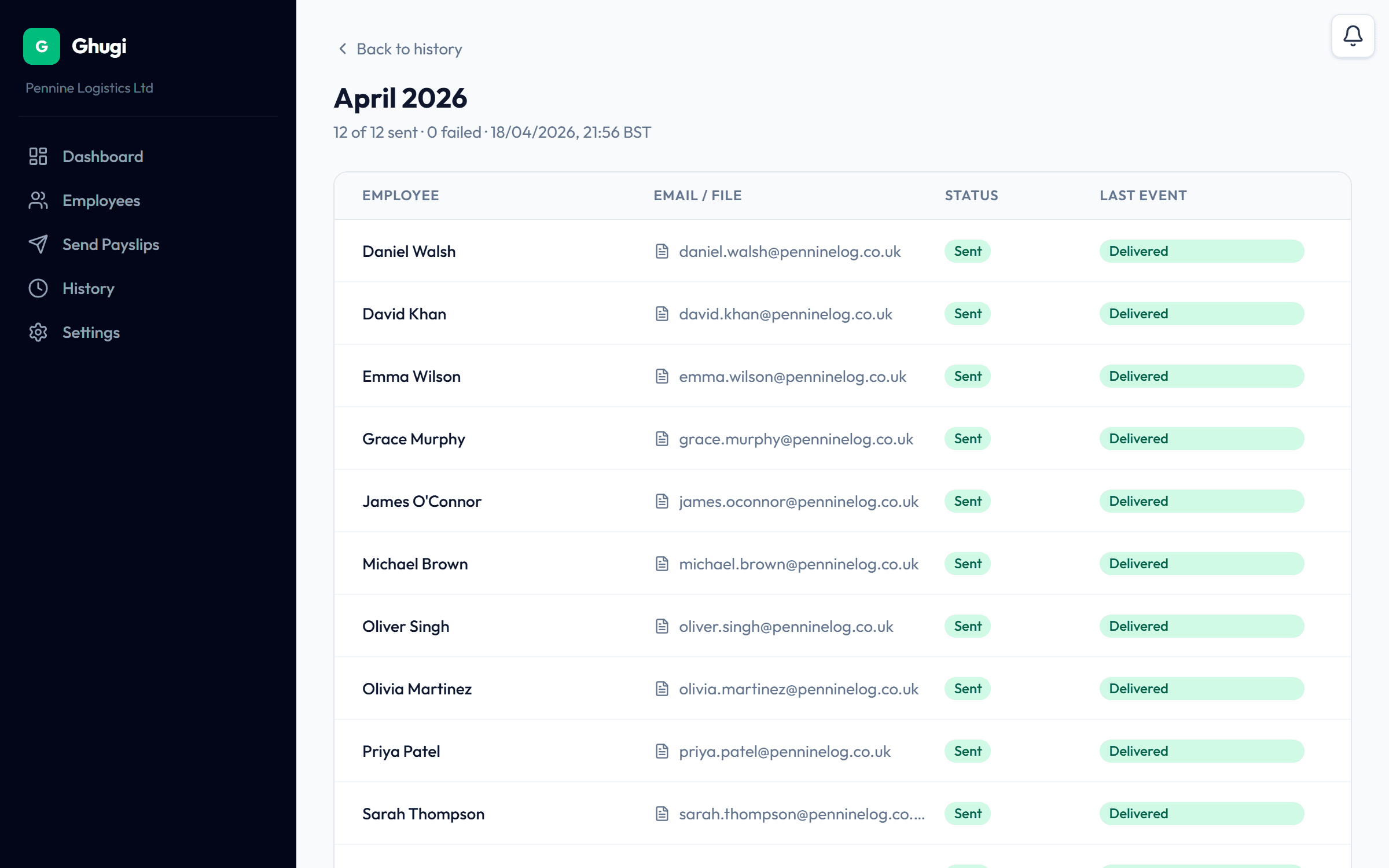
Review, confirm, and Ghugi emails each payslip to the right person with your branded template. Real-time send status per payslip.
Here’s what your employee actually receives.
Branded letterhead. Plain-English wording. Optional password-locked PDF. No portal, no login, no account to set up, just the payslip in their inbox.
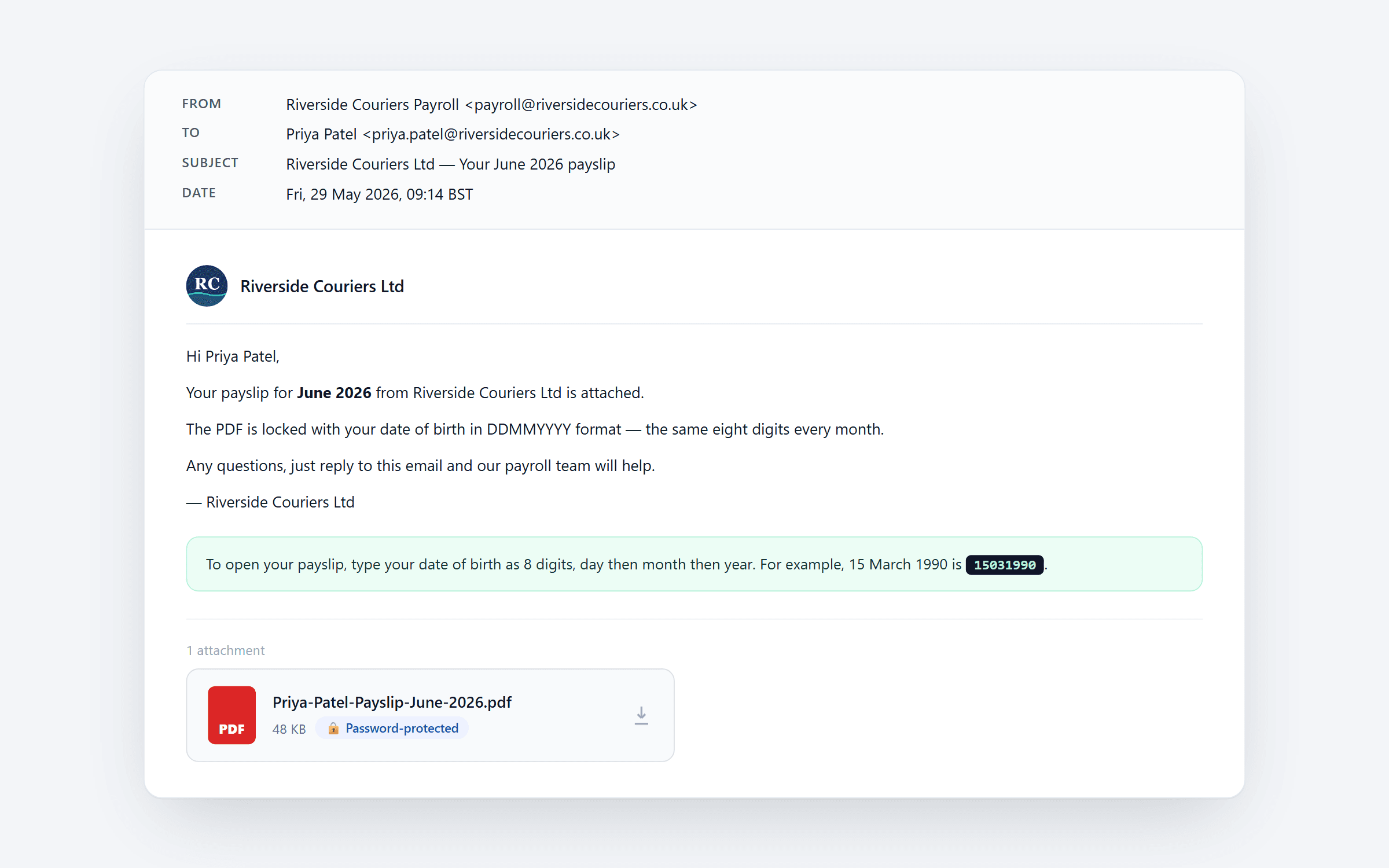
Sample data: a May 2026 payslip from Riverside Couriers Ltd to one of its drivers. Real Ghugi UI, fictional company.
Everything you’d expect, and nothing you don’t.
Focused on doing one job (sending payslips) really well.
Ghugi doesn’t calculate tax or run your RTI submissions. Your payroll software, or your accountant, still does that.
Ghugi isn’t a portal. Employees don’t sign up, don’t log in, don’t need an account. Each payslip just lands in their inbox.
Ghugi only ever sends payslips. Nothing else. No marketing, no surveys, no birthday cards.
Auto-matching engine
Ghugi reads the name, payroll code and NI number on each PDF to pair it with the right employee, and flags anything it can't confirm before you click send.
CSV import
Bulk-load your employee list from a spreadsheet in under a minute. Downloadable template included.
Custom email template
Your branding, your wording. Placeholders for name, pay period, and company keep every email personal.
Failed-send alerts
Get an instant alert the moment a payslip send is rejected. On Ghugi-managed email, we also flag bounces and spam complaints, so a bad address never slips by unnoticed.
Password-protected payslips
Lock each PDF with the employee's date of birth. Even if the email is forwarded, only the recipient can open the attachment.
Resend in one click
Missed the right address? Employee out of office? Resend from the history page. No re-upload needed.
Make it yours.
Wording, branding, send method: all yours. Set it up once and Ghugi inherits your style for every payslip after that.
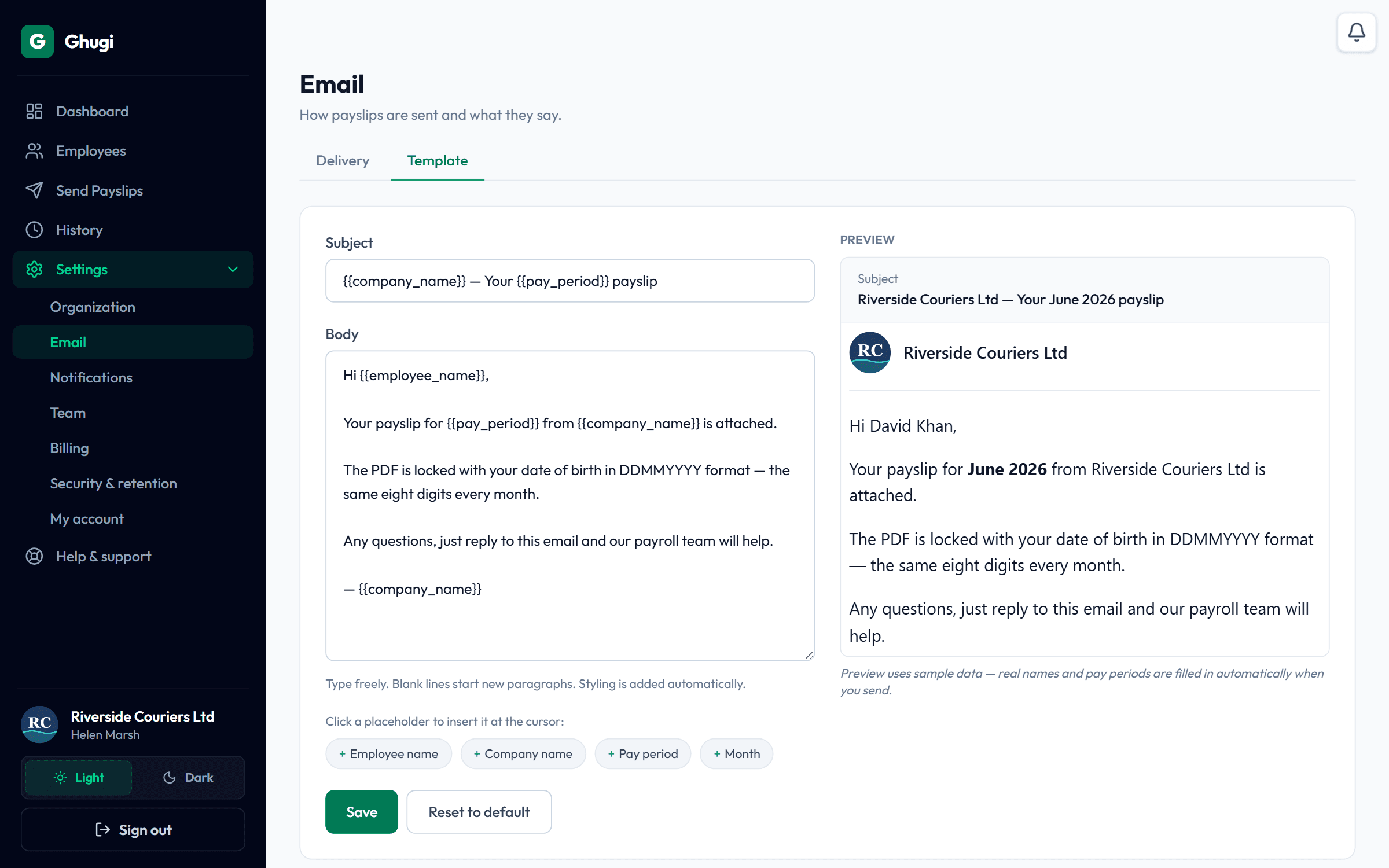
Customise the wording
Edit the subject and body. Drop in placeholders for the employee’s name, pay period, or company. A live preview shows exactly what recipients will see.
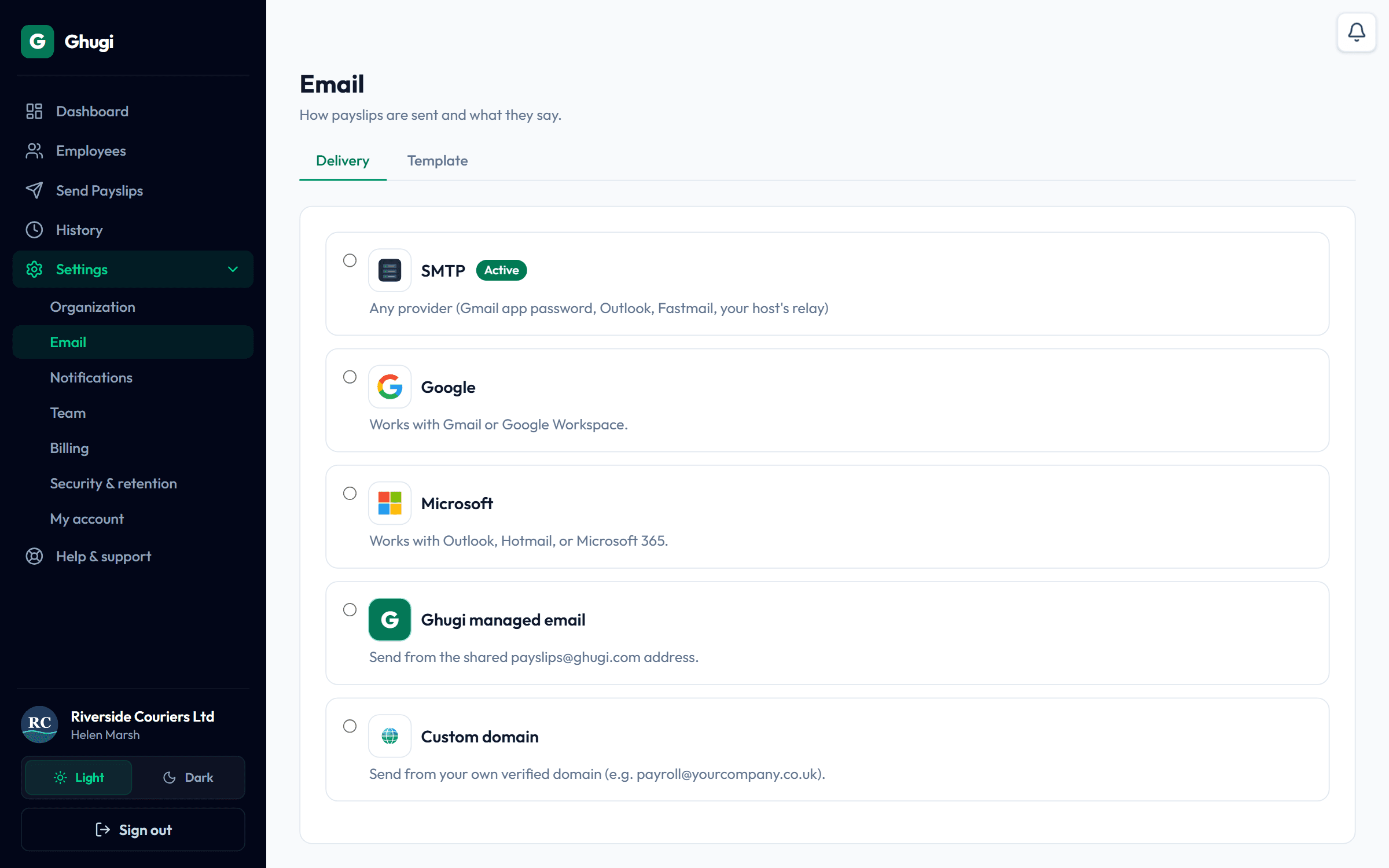
Choose how it sends
Use your existing SMTP, connect Google or Microsoft in one click, send from your own custom domain, or let Ghugi send on your behalf. Switch any time without losing your settings.
Built for UK payroll, not developers.
Security that matches the sensitivity of the data. No half-measures.
Encryption
AES-256 at rest on Supabase storage. TLS 1.3 in transit. SMTP credentials encrypted at the application layer before they ever touch the database.
UK-hosted data
App served from Vercel London. Database and PDF storage in Supabase London. Payslip emails transit Resend Ireland. Your payroll data stays in the UK or EU.
GDPR-ready
Configurable retention windows, one-click data export, right-to-erasure, and a full audit trail on every send.
Locked attachments
Optional AES-256 encryption on every outgoing PDF. Each payslip is locked with the employee's date of birth. Only they can open it, even if the email is forwarded. No passwords to set, manage, or recover.
One flat fee. No per-payslip charges, ever.
Every plan starts with the same 30-day free trial: full Business-tier features, no card. You pick your plan when the trial ends.
Most UK businesses on 26–100 staff pick Business. Larger ops or accountancy practices pick Pro.
Starter
£15/mo
Up to 25 staff. Send from your own Google, Microsoft, or SMTP.
- Up to 25 employees
- 2 team members
- Send all 25 payslips in one batch
- Send via Google, Microsoft, or SMTPManaged email: not included
- Send from your own domain (Pro only)
- Support from the founder
Business
£39/mo
Up to 100 staff. Send from your own Google, Microsoft, or SMTP.
- Up to 100 employees
- 5 team members
- Send all 100 payslips in one batch
- Send via Google, Microsoft, or SMTPManaged email: not included
- Send from your own domain (Pro only)
- Support from the founder
Pro
£89/mo
Up to 200 staff. We handle email delivery, including from your own domain.
- Up to 200 employees
- 15 team members
- Send all 200 payslips in one batch
- Send via Google, Microsoft, SMTP, or Ghugi-managedManaged email: 2,000 / month included
- Send from your own domaine.g. payslips@yourcompany.com
- Support from the founder
Show full comparison
| FeatureMonthly prices shown | Starter£15/mo | Business£39/mo · Most popular | Pro£89/mo |
|---|---|---|---|
| Capacity | |||
| Employees | Up to 25 | Up to 100 | Up to 200 |
| Team memberspeople with admin access | 2 | 5 | 15 |
| Payslips per batchhow many emails you can send in one click | Up to 25 | Up to 100 | Up to 200 |
| Send method | |||
| Google (Gmail & Workspace)one-click connect, you stay in control | |||
| Microsoft (Outlook, Microsoft 365) | |||
| Your own SMTP server | |||
| Ghugi-managed emailwe send on your behalf. No SMTP or OAuth setup | 2,000 / month | ||
| Custom from-addresspayslips@yourcompany.com | |||
| Security & compliance | |||
| Bank-grade encryption (in transit & at rest) | |||
| Password-protect PDFsemployee opens with date of birth | |||
| 13-month audit logexportable, UK-GDPR aligned | |||
| 4-year send historyHMRC retention buffer | |||
| Workflow | |||
| Auto-matching enginefilename + content pairs each PDF to the right employee | |||
| OCR for scanned payslipsimage-based PDFs are read automatically | |||
| CSV employee import | |||
| Custom email template & logo | |||
| Failed-send alertswe tell you the moment a send is rejected | |||
| Bounce & spam-complaint trackingneeds Ghugi-managed email | |||
| 1-click resend | |||
| Free trial | |||
| 30-day free trial, no card | |||
Need something custom for larger teams? Email us →
Frequently asked questions
Everything a payroll-skeptical SMB owner wants to know.
What is Ghugi?
Does this work with my payroll software?
Can I send P60s and P45s with Ghugi?
What if my accountant runs my payroll?
What happens when the trial ends?
Can my employees reply to the emails?
Is this HMRC-compliant?
What email provider do I need?
Can I cancel anytime?
What happens to the PDFs after sending?
Can I password-protect the payslip PDFs?
Do you support weekly or fortnightly payroll?
How does Ghugi match payslips to employees?
Can I add more team members or admins to my account?
Are there limits on how many payslips I can send each month?
What if a payslip doesn't auto-match an employee?
Stop emailing payslips like it’s 2005.
Start your 30-day free trial. No credit card. No onboarding call. Sending in 10 minutes.
Start free trial